
Losing an important text message can be frustrating. You may have deleted a conversation by mistake or noticed that an old message is no longer showing on your phone. The good news is that deleted messages are not always gone immediately.
The best recovery method depends on your phone and how the message was removed. Android users can check Google Messages and available backups. iPhone users may have options through Recently Deleted or iCloud.
In this guide we will explain how to recover permanently deleted text messages on Android iPhone and iPad. We will also cover archived messages disappearing conversations and what you can do when you do not have a backup.
How to Recover Deleted Text Messages on Android?
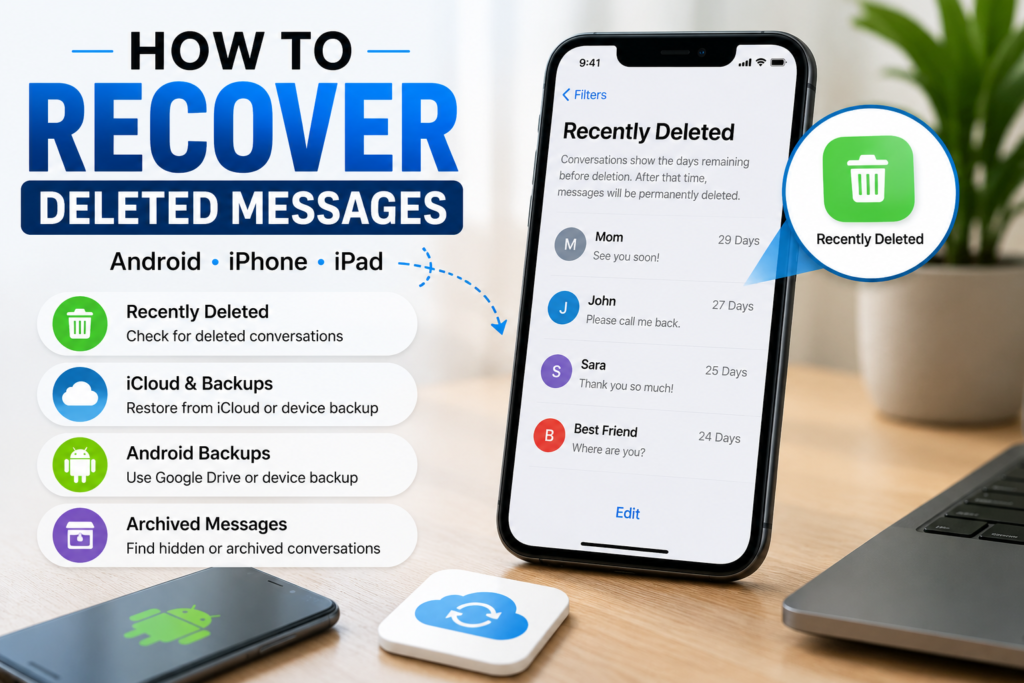
If you have deleted important messages on an Android phone, do not start with random recovery apps. First check the messaging app and any available backup. In some cases the messages may still be available through an archive or backup.
The exact recovery method depends on your phone and messaging app. Google Messages and Samsung Messages can have different options. Your backup settings also matter because a backup created before the deletion may contain the missing conversations.
If you are trying to recover deleted SMS in Android, start with the safest options available on your phone. Check the app first and then look for a suitable backup before trying anything that could overwrite your current data.
Check Google Messages and Available Backups
Open Google Messages and search for the conversation you cannot find. Also check the archived conversations because an archived message is not the same as a deleted message. If you find the conversation there, you can bring it back to the main conversation list.
Next check whether your Android phone has a backup that was created before the messages were deleted. A useful backup may contain your old text messages. However, the backup needs to be from the right time because a newer backup may no longer contain the deleted conversation.
If there is no suitable backup, do not immediately trust apps that promise guaranteed recovery. Permanently deleted messages cannot always be restored. Checking your existing backup options first is safer and gives you a clearer idea of what can actually be recovered.
Recover Deleted Messages on Samsung Phones
If you use a Samsung phone, open the Samsung Messages app and check your conversations carefully. Look for archived conversations or other available message folders. Sometimes users think a conversation was deleted when it has simply been moved out of the main inbox.
You can also check the backup services connected to your Samsung phone. If a backup was created before you deleted the messages, it may contain the conversation you are looking for. The available options can vary depending on your Samsung model and backup settings.
If you cannot find the messages in the app or in any available backup, recovery may not be possible through normal settings. This is why checking your existing copies first is important before using third-party recovery software.
How to Recover Deleted Text Messages on iPhone?
If you deleted text messages on an iPhone, start by checking the Messages app before trying a backup. Recent iOS versions can place deleted conversations in Recently Deleted for a limited period. If the conversation is there, you may be able to restore it directly.
If you cannot find the conversation there, check whether your iPhone has an available backup. An iCloud backup or computer backup created before the deletion may contain the missing messages. The backup date is important because a backup made after deletion may not include them.
If you are looking for deleted text messages on an iPhone without a backup, your options are more limited. Before using any recovery software, check Recently Deleted and all available backups. These options are safer and can help you avoid unnecessary data loss.
Check Recently Deleted Messages
Open the Messages app and look for the Recently Deleted section if your iPhone version provides it. Select the conversation or messages you want to recover and follow the restore option shown on your device.
This method works best when the messages were deleted recently and are still stored in the Recently Deleted area. Once they are permanently removed from there, you will need to look for another available copy.
If you do not see the Recently Deleted option or the conversation is not listed there, move on to your available backups. Do not assume that the messages are permanently gone until you have checked those options.
Recover Deleted Messages Without a Backup
Recovering deleted messages without a backup depends on whether the messages are still available somewhere on the iPhone. If they have been permanently deleted and no other copy exists, there may be no reliable way to restore them.
You can still check Recently Deleted and search your Messages app carefully. If the conversation was archived or the messages disappeared because of another issue, you may be able to find them without restoring a backup.
Be careful with third-party recovery software and online resources that promise guaranteed results. Before trusting any tool or website, take time to review the information available on the Pepper0 website and make sure you understand what the service actually offers.
How to Recover Deleted Text Messages From iCloud?
If your deleted messages were included in an iCloud backup created before they were removed, you may be able to recover them by restoring that backup. First check the backup date and make sure it is old enough to contain the missing conversation.
Before restoring an iCloud backup, remember that the process can replace the current data on your iPhone with the data stored in the backup. If you have important recent information on the phone, create a current backup first so you do not accidentally lose newer data.
If you are specifically trying to retrieve deleted text messages from iCloud, check all available backup options before starting a restore. If there is no backup from before the messages were deleted, iCloud cannot simply recreate messages that were never saved in that backup.
How to Find Archived Text Messages?
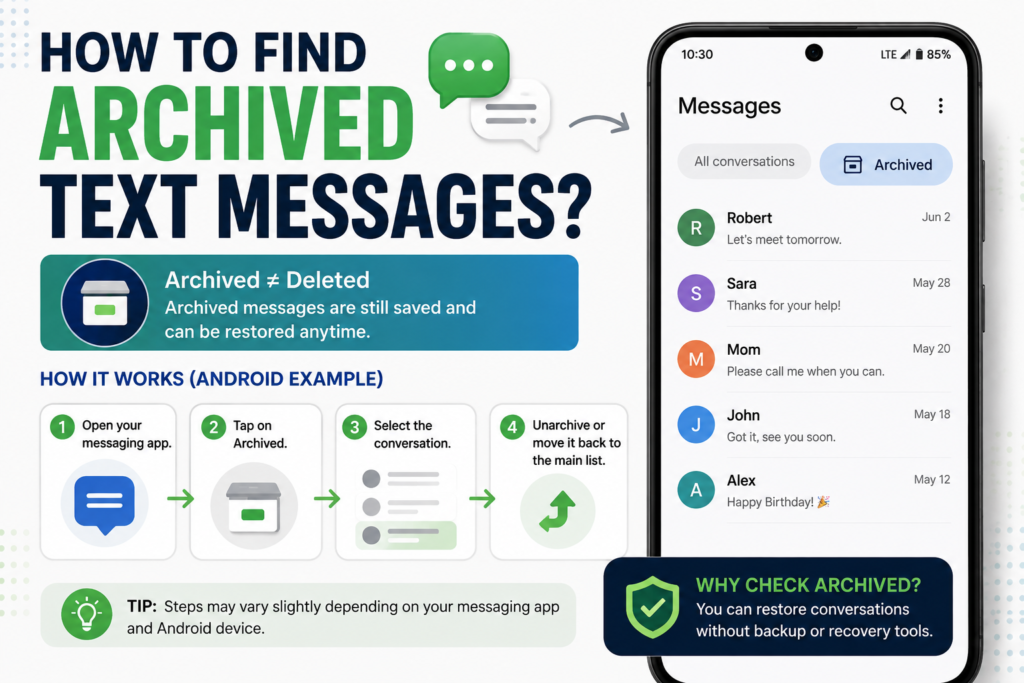
Archived messages are different from deleted messages. When you archive a conversation, it is removed from the main conversation list but the messages can still remain available. This is why checking archived conversations is important before assuming that your texts are permanently gone.
On Android, open your messaging app and look for an Archived section. In Google Messages, you can check the archived conversations and select the conversation you want to return to the main list. The exact steps can vary slightly depending on your app version.
If you are trying to find archived text messages on Android or retrieve archived text messages on another device, search the messaging app for an Archived folder first.
If the conversation is there, you can restore it without using a backup or recovery tool.If you are also exploring other online guides and resources, you can check this NovaPG complete guide for additional information.
What to Do When Text Messages Disappear From iPhone?
Sometimes messages can disappear from an iPhone without the user intentionally deleting them. Before trying to recover them, check the Messages app carefully and make sure you are viewing the correct conversation. A missing conversation does not always mean it has been permanently deleted.
If iPhone messages disappear after a device change or sync issue, check your Messages settings and available iCloud data. You should also look at Recently Deleted because a conversation may have been removed recently rather than permanently erased.
If the messages are still missing, check whether you have an older backup that may contain them. Avoid restoring a backup immediately if you have important current data on your iPhone. First confirm that the backup actually contains the messages you need.
How to Recover Deleted Messages on iPad?
If you deleted messages on an iPad, first open the Messages app and check whether the conversation is still available. If the messages were deleted recently, look for the Recently Deleted section and check whether the conversation can be restored.
You should also check whether your iPad is connected to the same Apple Account as your other Apple devices. If Messages in iCloud is enabled, changes can sync across your devices. This means a message deleted on one device may also disappear from another device.
If you cannot find the messages in Recently Deleted, check your available iCloud or computer backups. A backup from before the deletion may contain the missing conversation. If there is no backup and the messages have been permanently deleted, recovery may not be possible.
What If You Cannot Recover the Deleted Messages?
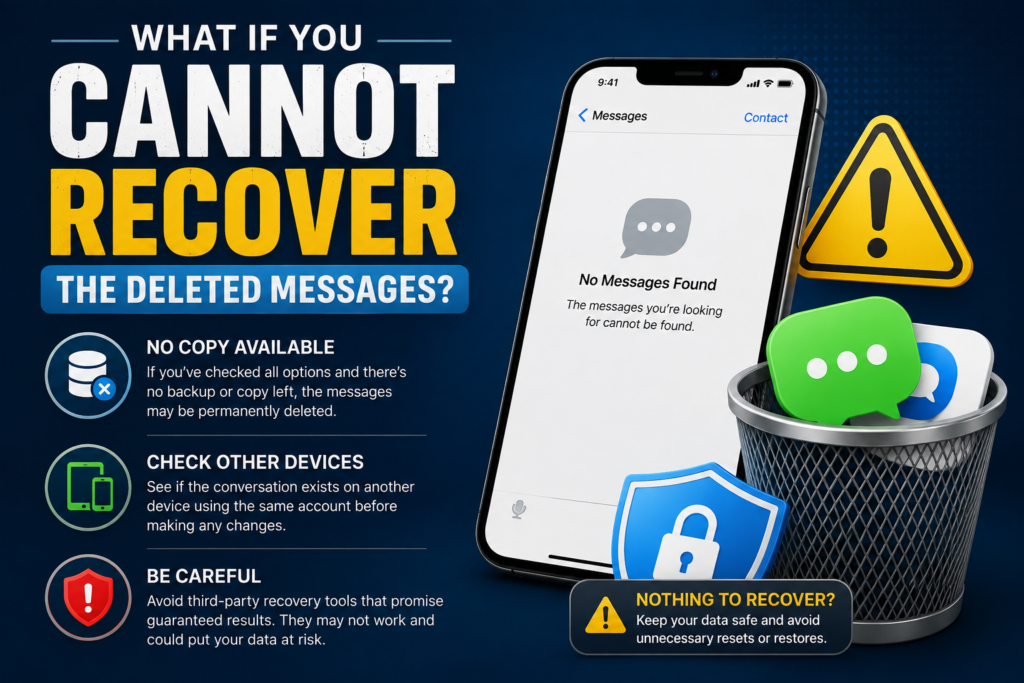
If you have checked the messaging app, archived conversations, Recently Deleted and available backups but still cannot find the messages, they may have been permanently removed. In this situation there may not be another copy available to restore.
You can still check whether the conversation exists on another device that uses the same account. For example, an iPhone or iPad connected to the same Apple Account may help you determine whether the messages are still available elsewhere. Do this before deleting or changing anything on your devices.
Be careful with third-party recovery software that promises guaranteed results. If a message has been permanently deleted and no backup or other copy exists, software cannot always recover it. The safest approach is to protect your current data and avoid unnecessary resets or restores unless you have confirmed that a backup contains the missing messages.
Conclusion
Recovering permanently deleted text messages is possible in some situations but it depends on whether another copy of the messages still exists. Recently Deleted folders archived conversations and older backups are the first places you should check.
Android users can check Google Messages and available device backups while Samsung users should also review the backup options available on their phones. iPhone and iPad users can check Recently Deleted along with iCloud or computer backups created before the messages disappeared.
If you cannot find the messages anywhere and no suitable backup exists, permanent recovery may not be possible. The safest approach is to check the available recovery options first and avoid unverified recovery tools that promise guaranteed results.
Frequently Asked Questions
Can deleted text messages be recovered?
Sometimes. Recovery depends on where the messages were stored and whether a backup or Recently Deleted copy is available. If no copy remains after permanent deletion, recovery may not be possible.
Why did my text messages disappear from my iPhone?
Messages can disappear for different reasons including deletion syncing or account and backup issues. Check Recently Deleted and your available backups before assuming the messages are permanently gone.
How do I find archived text messages?
Open your messaging app and look for the Archived section. Archived conversations are not necessarily deleted and can usually be returned to the main conversation list.
How do I find deleted messages on Samsung?
Check the Samsung Messages app for available folders and archived conversations. You can also check your available backups for a copy created before the messages were deleted.
How do I recover deleted text messages on iPhone?
Check Recently Deleted first. If the messages are not there, look for an iCloud or computer backup that was created before the messages were deleted.
Can I recover deleted text messages without a backup?
It depends on the device and how the messages were deleted. If they are no longer available in Recently Deleted or another stored copy, there may be no reliable way to recover them.