
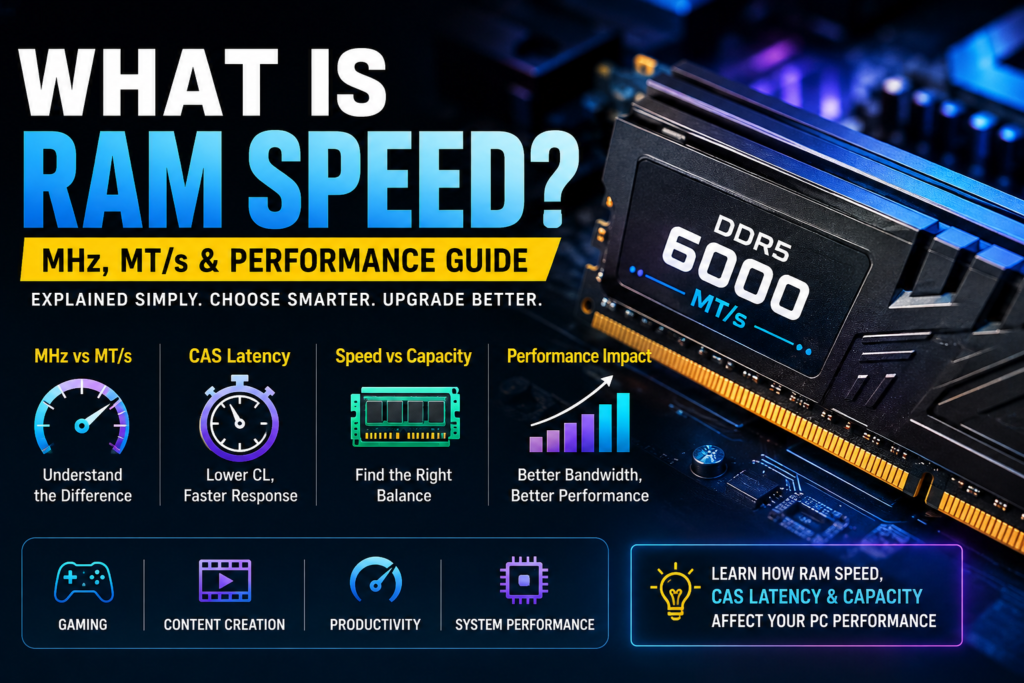
RAM speed is one of the specifications you will see when buying or upgrading computer memory, but the numbers can be confusing. Terms such as DDR4-3200, DDR5-6000, MHz, MT/s, and CAS latency all describe different parts of memory performance.
So, what is RAM speed? In simple terms, it refers to how quickly your RAM can transfer data. Faster memory can improve performance in some workloads, especially when the processor or integrated graphics can take advantage of the extra memory bandwidth. However, RAM speed is only one part of overall memory performance.
In this guide, you’ll learn how RAM speed works, what MHz and MT/s mean, how CAS latency affects performance, how to check your current RAM speed, and whether faster memory actually makes a difference for gaming and everyday use.
What Is RAM Speed?
What Is RAM Speed? RAM speed tells you how quickly your computer’s RAM can transfer data. You will usually see it listed with numbers such as DDR4-3200 or DDR5-6000.
These numbers are commonly shown as MT/s (megatransfers per second). For example, DDR5-6000 is rated for up to 6,000 MT/s, meaning it can make up to 6 billion data transfers per second.
In general, faster RAM provides more memory bandwidth, which can improve performance in certain applications and games. However, RAM speed is not the only factor that matters. RAM capacity, CAS latency, CPU, and motherboard support also affect overall performance.
What Do MHz and MT/s Mean in RAM?
MHz refers to the memory clock frequency, while MT/s refers to the number of data transfers RAM can make per second. Modern DDR RAM transfers data twice per clock cycle, so the MT/s rating is roughly twice the actual memory clock.
For example, DDR5-6000 runs at around 3,000 MHz but is rated at 6,000 MT/s. This is why RAM is more accurately described using MT/s, even though many manufacturers and users still refer to the number as “MHz.”
In simple terms, MHz tells you the clock speed, while MT/s tells you the data-transfer rate. Both terms are useful, but they are not exactly the same thing.
What Is CAS Latency?
CAS latency (CL) is the amount of time RAM takes to respond when the CPU requests data from it. You may see it listed as CL16, CL18, CL30, or CL36 on RAM specifications.
A lower CAS latency generally means the RAM can respond faster. However, when understanding what is RAM speed, you should not compare CAS latency alone because RAM speed also affects overall memory performance.
For example, a higher-speed RAM kit with slightly higher latency can still offer better performance than a slower kit with lower latency. That is why both RAM speed and CAS latency should be considered when choosing memory.
How to Check Your RAM Speed?
Checking your RAM speed in Windows is simple, and you do not need to open your computer case. The easiest method is through Task Manager.
- Press Ctrl + Shift + Esc to open the Task Manager.
- Click Performance and select Memory.
- Find the Speed field to see your RAM’s rated data-transfer speed, such as 3200 MT/s or 6000 MT/s.
You can also check your RAM through BIOS/UEFI or a tool such as CPU-Z. CPU-Z may show DRAM Frequency, which is the actual memory clock. For example, a DRAM Frequency of around 3000 MHz corresponds to an effective DDR5-6000 data rate.
Does RAM Speed Matter?
Yes, RAM speed can affect computer performance, but the difference depends on your hardware and what you are doing. Understanding what is RAM speed can help you see why faster RAM provides more memory bandwidth, which can help the CPU access and transfer data more efficiently.
The impact is usually more noticeable in gaming, content creation, and other memory-sensitive tasks. Systems with integrated graphics can also benefit because they use system RAM for graphics memory.
However, faster RAM is not always the best upgrade. RAM capacity, CAS latency, CPU performance, and motherboard support also matter. If your system already has enough RAM, moving to a much faster kit may provide only a modest improvement.
How Does RAM Speed Affect Gaming?
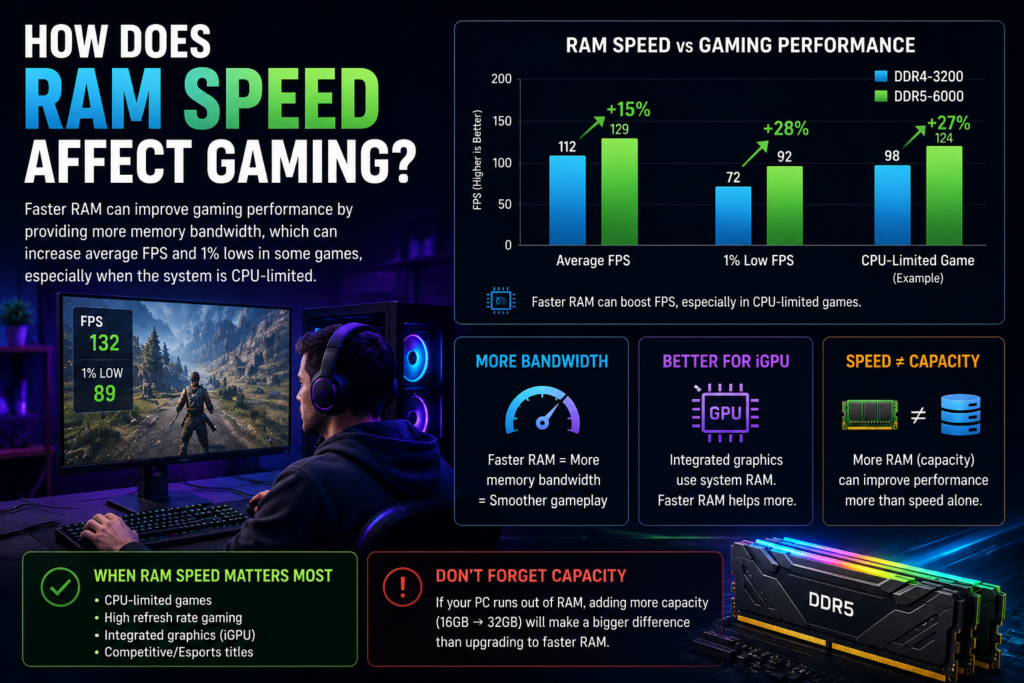
RAM speed can affect gaming performance, especially in games that rely heavily on the CPU. Faster RAM can provide more memory bandwidth, which may improve average FPS and 1% lows in some situations.
The difference is usually more noticeable when the game is CPU-limited. Systems using integrated graphics can also benefit because the GPU shares system RAM with the CPU.
However, increasing RAM speed is not the same as adding more RAM. If your PC does not have enough memory, adding more capacity can make a much bigger difference than simply choosing a faster RAM kit.
DDR3 vs DDR4 vs DDR5 RAM Speed
When comparing what is RAM speed across different memory generations, DDR3, DDR4, and DDR5 offer different data-transfer rates and bandwidth capabilities.
DDR3 is an older RAM standard with lower data-transfer rates than newer generations. It is mainly found in older computers and is no longer a practical choice for most new builds.
DDR4 offers a significant improvement over DDR3 and became the standard for many desktop and laptop PCs. Common DDR4 speeds include 1600 to 3200 MT/s, although faster kits are also available.
DDR5 is the newer generation and became mainstream starting around 4800 MT/s, with much higher speeds available. It provides greater memory bandwidth than DDR4, but DDR4 and DDR5 are not interchangeable, so your motherboard and CPU must support the RAM generation you choose.
DDR5 RAM Speed: Theoretical vs Real-World Performance
DDR5 RAM offers much higher data-transfer rates than older memory generations. For example, a DDR5-6000 kit is rated for up to 6,000 MT/s, giving it higher theoretical memory bandwidth than a typical DDR4-3200 kit.
However, the advertised speed is not the same as the speed you will always see in real-world tests. Actual read and write performance depends on factors such as the CPU’s memory controller, motherboard, RAM configuration, timings, and the application being tested.
This is why higher DDR5 speed does not automatically mean the same percentage increase in overall performance. A faster kit can provide more bandwidth, but the actual improvement depends on whether your workload can take advantage of that additional memory performance.
What Is the Fastest RAM?
The fastest RAM depends on the memory generation, platform, and specific RAM kit. DDR5 is currently the mainstream choice for high-speed consumer systems, with kits available at speeds well above the basic DDR5 specification.
However, choosing the highest-rated speed is not always the best option. Your CPU and motherboard need to support the memory speed, and factors such as CAS latency and stability also matter.
For most users, a well-balanced RAM kit that offers good speed, reasonable latency, and reliable compatibility is a better choice than simply buying the fastest available memory.
How to Increase RAM Speed
If your RAM supports a higher speed than its current setting, you may be able to increase it through your motherboard’s BIOS/UEFI. Many RAM kits include tested performance profiles such as XMP for Intel systems and EXPO for AMD systems.
After enabling the appropriate profile, the RAM can run at its advertised speed instead of a lower default setting. You should then check Windows or a memory-testing tool to make sure the system remains stable.
Keep in mind that not every system can run RAM at its rated speed. CPU, motherboard, BIOS version and RAM compatibility can all affect the maximum stable speed.For more technology and hardware guides, visit Pepper0
Does More RAM Improve Performance?
Adding more RAM can improve performance when your computer does not have enough memory for the tasks you are running. For example, upgrading from a low-capacity setup can make multitasking, demanding applications, and modern games run more smoothly.
However, RAM capacity and RAM speed are different things. More RAM gives your computer more memory to work with, while faster RAM increases the rate at which data can be transferred.
If your system already has enough RAM, adding more capacity may provide little benefit. In that case, a faster or lower-latency RAM kit may offer a more noticeable improvement in workloads that are sensitive to memory performance.
RAM Speed vs RAM Capacity vs CAS Latency
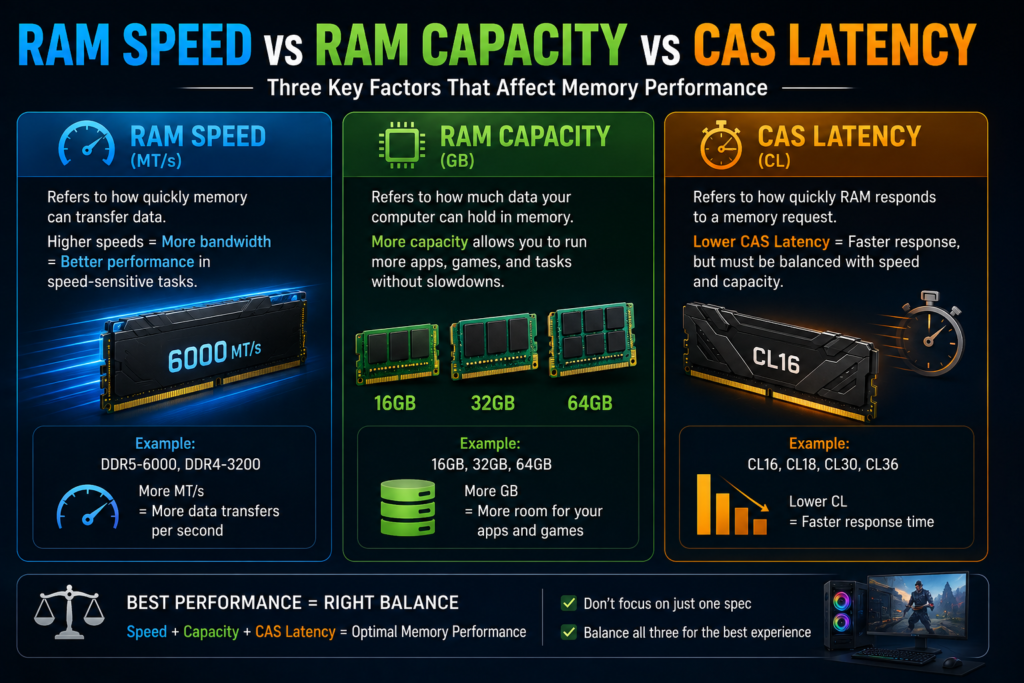
RAM speed refers to how quickly memory can transfer data. Higher speeds can provide more memory bandwidth, which may improve performance in workloads that are sensitive to memory speed.
RAM capacity refers to how much data your computer can hold in memory at once. For example, 16GB, 32GB, and 64GB describe capacity, not speed. If your system frequently runs out of available RAM, adding more capacity can have a bigger impact than increasing speed.
CAS latency describes how quickly the RAM responds to a memory request. A good RAM setup balances speed, capacity, and latency rather than focusing on just one specification.If you’re also interested in automotive technology and performance guides, check out our guide to the 6.0 Powerstroke.
Conclusion
The right RAM speed depends on your CPU, motherboard, memory capacity, and workload. Faster RAM can provide more bandwidth, but the performance improvement varies from one system to another.
For a new PC, choose a RAM speed that your platform officially supports and that fits your budget. You should also consider CAS latency and capacity, rather than choosing memory based on speed alone.
Ultimately, the best RAM is not necessarily the fastest one. A well-balanced combination of speed, latency, capacity, and compatibility will give you better overall performance and a more reliable system.
Frequently Asked Questions About RAM Speed
What is a good RAM speed?
A good RAM speed depends on your system and workload. For many modern PCs, DDR4-3200 is a solid baseline, while DDR5-6000 is a popular high-performance option for compatible systems.
Is higher RAM speed always better?
No. Higher RAM speed can improve memory bandwidth, but the actual performance gain depends on your CPU, motherboard, latency, and workload.
What does 6000 MT/s mean?
6000 MT/s means the RAM is rated for up to 6 billion data transfers per second. It is a data-transfer rate, not the same thing as a 6000 MHz memory clock.
Does RAM speed affect FPS?
Yes, RAM speed can affect FPS in some games, particularly when the system is CPU-limited. However, the improvement varies depending on the game and hardware.
Can DDR4 RAM work with DDR5?
No. DDR4 and DDR5 are different memory standards and are not interchangeable. Your motherboard determines which type of RAM you can use.
How do I know what speed my RAM is?
On Windows, open Task Manager → Performance → Memory and check the Speed field. You can also use BIOS/UEFI or hardware-monitoring software to view your memory information.