
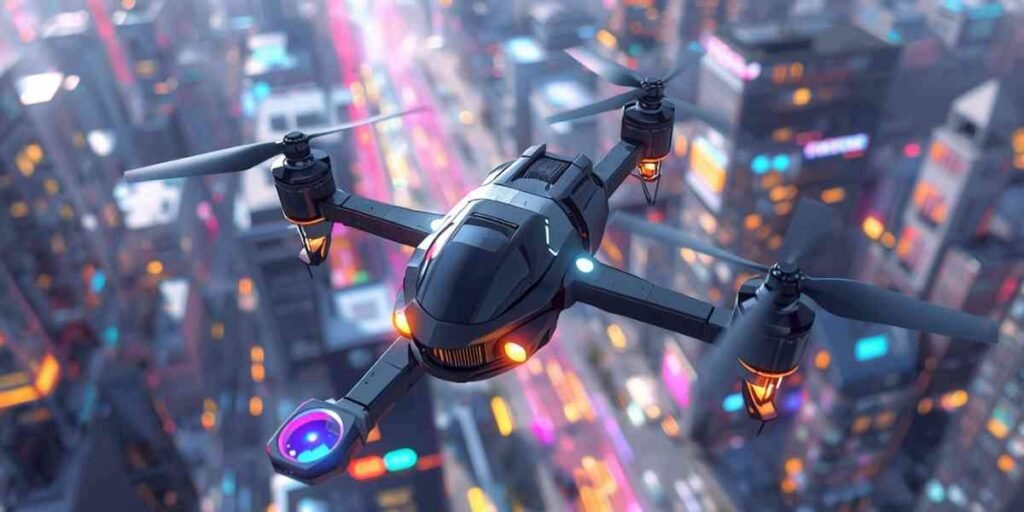
Imagine soaring through the skies in ER:LC Roblox with your very own AI-controlled helicopter. Whether it’s performing rescue missions, patrolling the city, or just flying around for fun, creating a custom AI helicopter can completely change your gameplay experience. In this guide, we’ll take you step by step through designing, scripting, testing, and customizing your helicopter.
Even if you’re new to Roblox development, this tutorial is beginner-friendly and practical. By the end, you’ll not only know how to make an AI helicopter like in ER:LC Roblox but also how to make it responsive, realistic, and full of personality.
Understanding Roblox Studio Basics
Before you can build your AI helicopter, you need to get comfortable with Roblox Studio, the core tool for game development on Roblox. Roblox Studio allows you to create interactive worlds, manipulate objects, and write scripts that bring your creations to life.
Here’s a short guide to get started:
Installing Roblox Studio
- Download Roblox Studio from the official Roblox website.
- Sign in with your Roblox account to save projects.
- Familiarize yourself with the interface before starting.
Understanding Parts and Models
- Parts are the building blocks of your helicopter—think of them as Lego pieces.
- Combine basic parts like cubes, spheres, and cylinders to create the body, rotors, and cockpit.
- Models are collections of parts grouped together; using models makes it easier to manage your helicopter.
Preview and Playtesting
- Use the Play button to test your helicopter in a live environment.
- Always check how parts interact, and confirm that scripts respond correctly during testing.
- Frequent playtesting helps catch errors early and improves overall functionality.
For beginners, Roblox Studio tutorials on YouTube or the Roblox Developer Hub are excellent resources to understand the basics quickly.
Designing Your Helicopter Model
The next step is to design your helicopter. The look and style of your chopper are important for gameplay immersion.
Choosing a Style
- Modern Helicopters: Sleek design, minimalistic look, fast movement.
- Rescue Helicopters: Bright colors, sirens, and emergency-themed features.
- Military Helicopters: Larger frames, rugged appearance, weapon attachments.
Using Basic Blocks vs. Importing Assets
- Beginners can start with basic blocks from Roblox Studio. It’s easier to modify and assemble.
- More advanced creators can import custom meshes or textures for realistic detailing.
Tips for Scaling and Proportion
- Ensure the rotors are proportional to the body; too small, and flight looks unrealistic.
- Keep the cockpit spacious enough for characters if you want passengers.
- Visual symmetry improves the helicopter’s aesthetic appeal and makes scripting simpler.
Optional: Capture a screenshot of your simple helicopter model to guide your design reference.
Scripting AI Helicopter Movement in Lua
Now comes the most exciting part, making your helicopter move with AI. Roblox uses Lua scripting, which is beginner-friendly but powerful enough to create complex behaviors.
Basic Movement Commands
Your AI helicopter needs to ascend, descend, move forward/backward, and rotate left/right. Here’s a beginner-friendly example in pseudo-code format:
-- Move up
if input == "up" then
    helicopter.Position = helicopter.Position + Vector3.new(0, speed, 0)
end-- Move forward
if input == "forward" then
    helicopter.Position = helicopter.Position + helicopter.CFrame.LookVector * speed
end
- Adjust
speedto make the helicopter faster or slower. - Using simple movement scripts first allows you to troubleshoot easily.
Adding Waypoints and Navigation Logic
Waypoints let your AI helicopter follow a path automatically.
- Define points in your map where the helicopter should go.
- Use a loop to make it move from one waypoint to the next.
- Advanced tip: combine waypoint logic with player detection so the helicopter can follow or respond to player actions dynamically.
Implementing Collision Detection
Prevent your AI from crashing into buildings, trees, or other vehicles.
- Detect obstacles using collision events.
- Adjust the helicopter’s path if a collision is detected.
- Example logic: slow down or change direction when an object is within a set range.
Collision detection improves realism and makes the AI feel intelligent.
Testing Your AI Helicopter
Testing is critical for performance and gameplay satisfaction. A helicopter that flies erratically or ignores obstacles can frustrate players.
Debugging and Fixing Errors
- Check scripts for typos or logic errors.
- Test each movement function separately before combining them.
- Monitor performance to prevent lag or crashes.
Getting Feedback
Invite friends to test your helicopter. They might notice things you missed or suggest fun features like looping maneuvers or new animations.
Testing Checklist
| Test Area | What to Check | Tips |
|---|---|---|
| Movement | Ascend, descend, turn, speed | Adjust values for smoother motion |
| Waypoints | Does the AI follow the set path? | Add more waypoints if needed |
| Collision Detection | Does it avoid obstacles? | Increase detection radius |
| Visual & Audio Effects | Sounds and animations work? | Add flare for realism |
| Multiplayer Interaction | Works correctly with other players? | Test with friends online |
This table ensures you don’t overlook any critical aspect of AI behavior.
Customizing Your AI Helicopter
Adding personality to your helicopter enhances gameplay and makes it memorable.
- Sound Effects: Rotor whirls, engine sounds, or sirens for rescue helicopters.
- Visual Flares: Lights on landing gears or glowing cockpit elements.
- Story Integration: Rescue missions, patrol routes, or supply transport scenarios.
- Optional Props: Attach weapons for military-style gameplay or cargo crates for delivery missions.
Custom touches make your AI helicopter stand out and provide a more engaging player experience.
Common Mistakes and Troubleshooting
Even seasoned developers run into issues. Here’s what to watch out for:
- Helicopter not moving: Double-check your movement scripts and waypoint references.
- Collision detection failing: Ensure detection ranges are set correctly and objects are tagged properly.
- Helicopter spins uncontrollably: Review your rotation logic; too much angular velocity can cause instability.
- Performance lag: Reduce the number of parts or scripts running simultaneously to optimize performance.
By addressing these issues early, you’ll save time and frustration later.
Tips for Advanced AI Helicopter Features
Once your basic AI helicopter works, you can take it to the next level.
- Follow Players Automatically: Implement target tracking so the helicopter responds to player movements.
- Dynamic Missions: Add tasks triggered by player actions, like delivering items or chasing NPCs.
- Custom Lua Functions: Create smarter AI behaviors for evasive maneuvers or realistic flight patterns.
- Roblox Plugins: Use plugins to speed up model creation, waypoint setup, and asset management.
Advanced features make your AI helicopter feel more professional and interactive.
Learning Resources for Roblox AI Development
Here are some recommended resources to improve your skills:
- Free Lua Tutorials: Learn basic and advanced scripting for AI.
- YouTube Courses: Channels dedicated to Roblox development provide project-based learning.
- Online Communities: Join Roblox forums or Discord servers to get feedback and tips.
These resources will help you create not just AI helicopters, but any advanced Roblox project.
FAQs
Can I make my helicopter follow me automatically?
Yes, by using target tracking in Lua, you can program your AI helicopter to follow your character dynamically. This adds realism and makes gameplay more interactive.
Do I need coding experience to make an AI helicopter?
Not necessarily. While basic Lua knowledge helps, you can start with simple movement scripts and gradually add complexity. Roblox Studio’s tutorials are beginner-friendly.
How do I test AI movement in Roblox Studio?
Use the Play button to enter test mode, then monitor the helicopter’s responses to commands and waypoints. Debug any errors and refine scripts step by step.
Can I add sound effects and lights to my helicopter?
Absolutely. Sound effects like rotor whirls and sirens can be added via Roblox Studio’s Audio objects. Lights and particle effects enhance visual appeal.
What’s the best way to avoid crashes in AI helicopters?
Implement collision detection, set proper waypoint distances, and test frequently. Adjust obstacle detection ranges to prevent accidental crashes.
How long does it take to make a functional AI helicopter?
It depends on complexity. A basic AI helicopter can be built in a few hours, while a fully customized helicopter with advanced behaviors might take several days.
Conclusion
Creating an AI helicopter in ER:LC Roblox is both fun and educational. By following this guide, you can design, script, test, and customize a helicopter that’s interactive, responsive, and full of personality. Remember, consistent testing and iteration are key to perfecting your AI.
So grab Roblox Studio, start building, and let your creativity take flight. Your custom AI helicopter could be the next highlight in ER:LC Roblox!